Show some love to your GitHub profile READMEs
 Hark SinghAugust 2, 2026
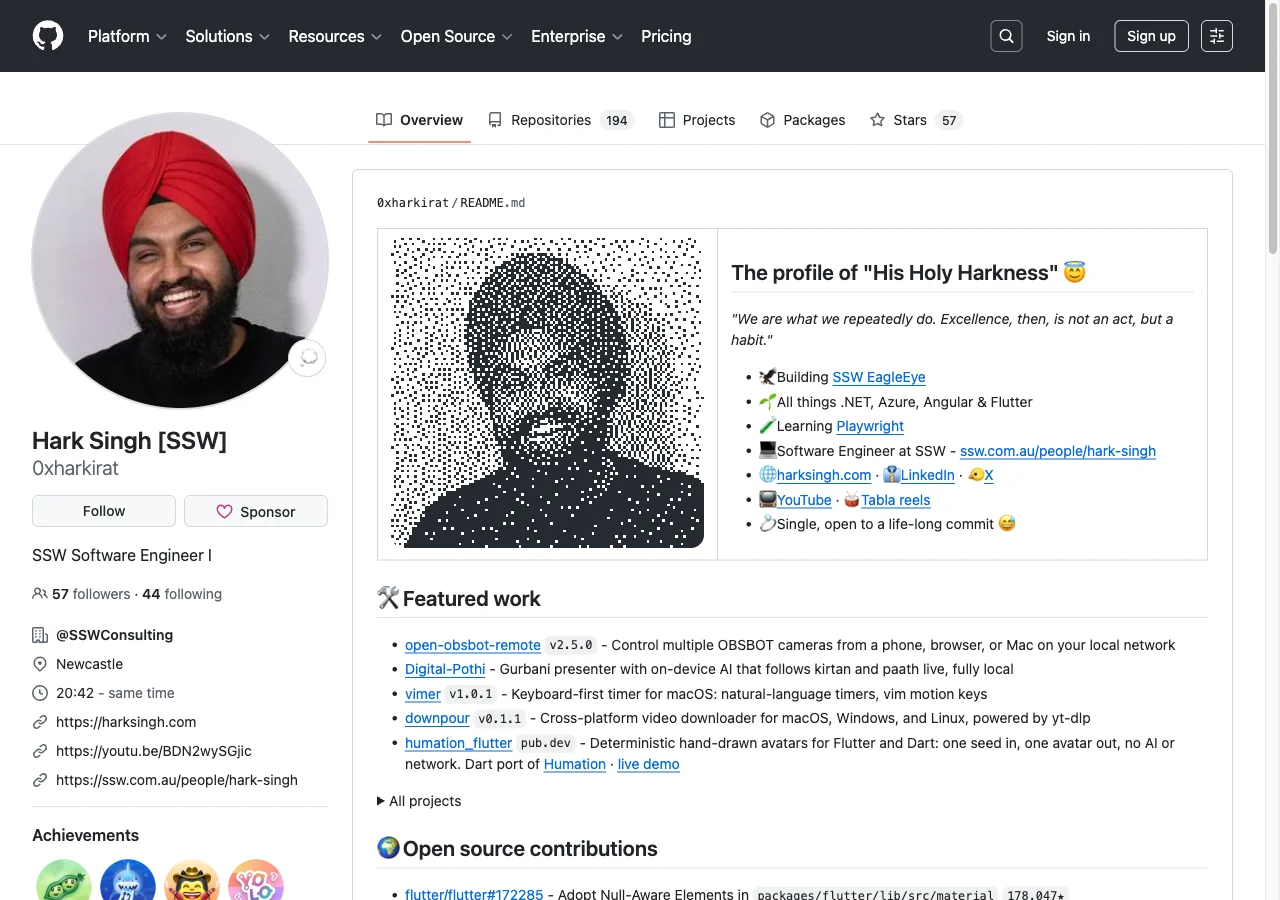
I built dither-portrait(opens in a new tab) (of cource with AI 🤖, but that doesn't mean we can't have cool stuff).
It turns a photo into an animated dithered SVG you can drop straight into your READMEs.
See the top of my profile(opens in a new tab) now. This one is the real svg, animating right here:


Try it
There is a playground(opens in a new tab). Type a GitHub username, or drop in any photo, and you see the result immediately.
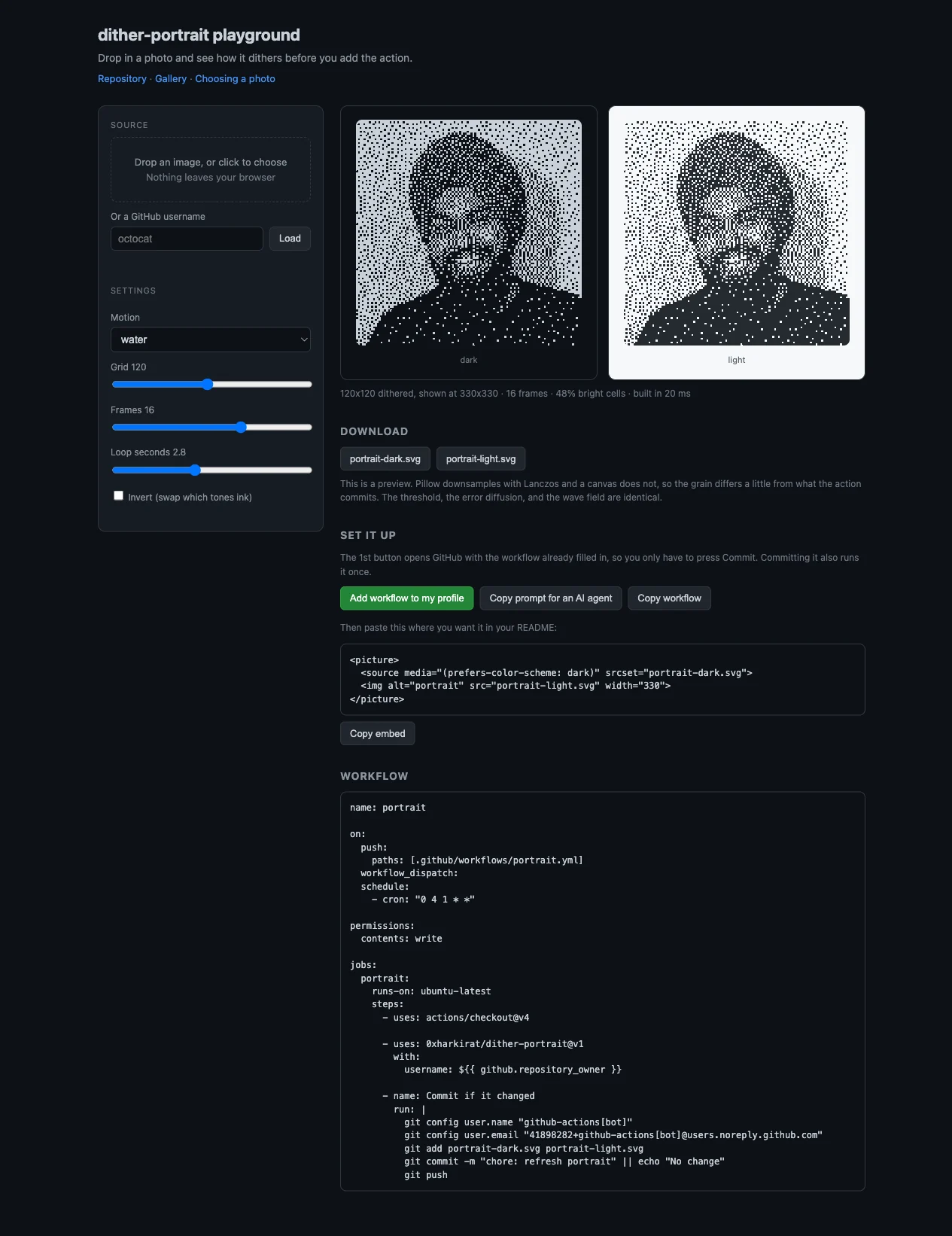
Push the sliders around. Grid is the one that changes the look most.
Getting started
- Open the playground(opens in a new tab) and press Add workflow to my profile. GitHub opens with the file already written for you. Press Commit.
- Committing runs it once, so the SVGs appear in your profile repo a minute later.
- Paste the embed into your README where you want the picture:
<picture>
  <source media="(prefers-color-scheme: dark)" srcset="portrait-dark.svg">
  <img alt="portrait" src="portrait-light.svg" width="330">
</picture>That is it.
If you would rather write the workflow yourself, it is in the README(opens in a new tab). It also reruns monthly by default.
or Ask your beloved AI (gimme those tokens 🤑).
Picking a photo
A photo with a clear subject and a plain-ish background works. Faces close to the camera work. Busy backgrounds turn into noise, because the dither cannot tell your hair from a bookshelf.
If your result comes out as a solid dark block, flip the invert switch. Whether that is needed depends on the subject rather than the background, so the tool does not try to guess it for you.
There is a longer note on choosing a photo(opens in a new tab) if the first attempt disappoints you.
Tell me if it breaks or if it is s*ht
👇